



Submit your self meter read in my account
Customers who have a basic meter can enter their meter read within My Account to be provided accurate monthly billing and avoid estimated billing.
Log in
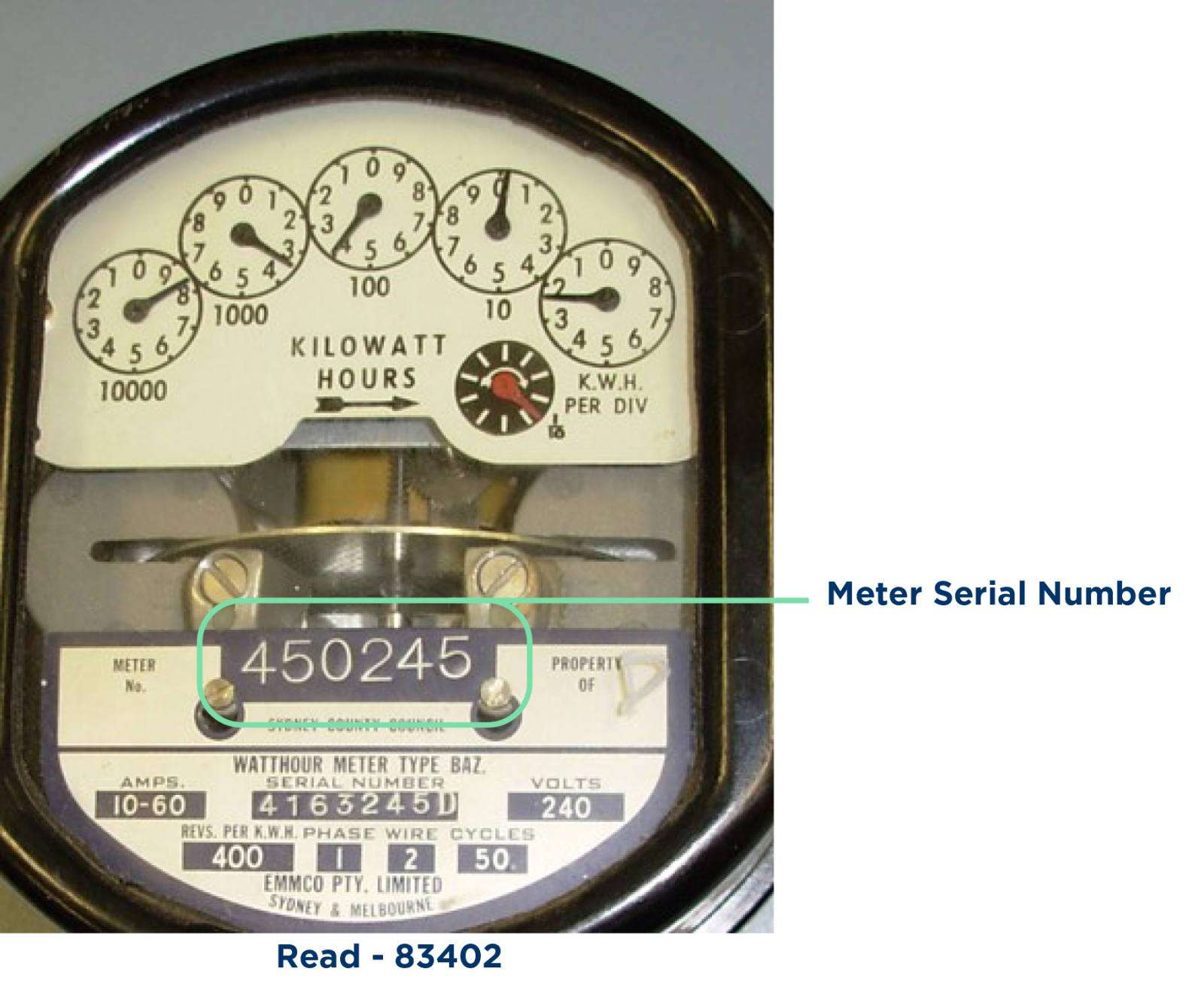
Clock dial displays are read left-to-right and you always round down; this meter’s reading is 83402.
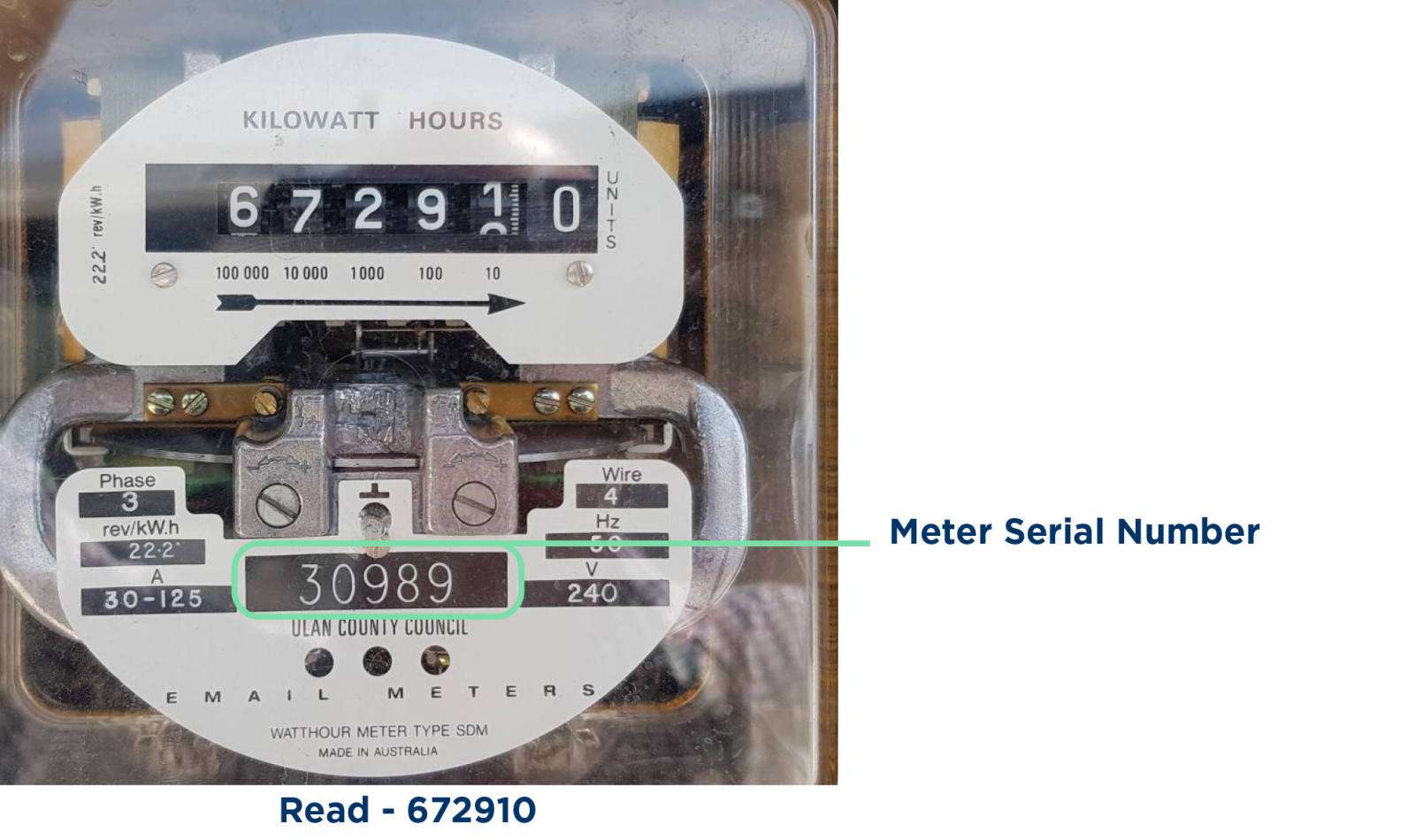
Cyclonic dial displays are read left-to-right; this meter’s reading is 672910
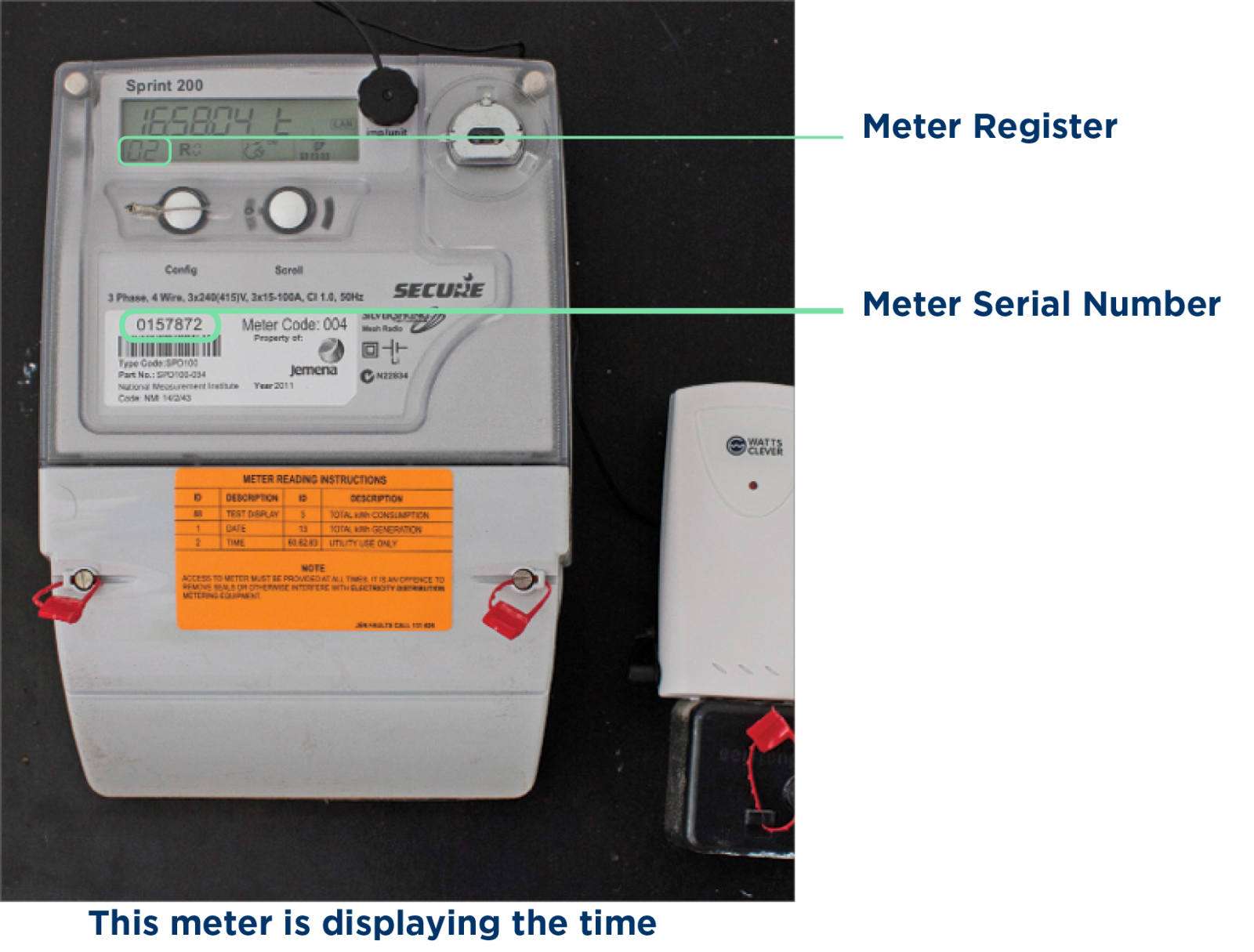
Digital meters are read the same as a Cyclonic dial display, yet in a digital format.
If you have peak, shoulder, and off-peak, your meter will cycle between them; these are known as meter registers.
Your bill will show each reading next to a register:
0157872/1 – reading
0157872/2 – reading
0157872/3 – reading
Connect the reading from your meter with the meter register on your bill.

Customers who have a basic meter can enter their meter read within My Account to be provided accurate monthly billing and avoid estimated billing.
Log in
With Blue NRG’s My Account you can manage your business account 24/7. My Account is a convenient online portal that consolidates everything in one location. You can update your details, set up Direct Debit, view your business’s daily electricity usage and much more.
Log in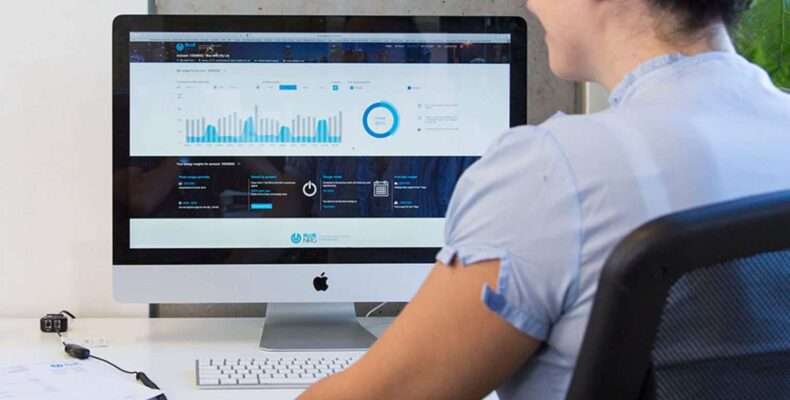
Smart meters record your electricity usage every 15–30 minutes and send this data to us remotely. Unlike older meters, they don’t show a current usage reading on the screen. Instead, your smart meter displays an index reading—a running total of your electricity use since the meter was installed.
This figure is for reference only and not used to calculate your bills. If you’d like to see your detailed usage, you can request your interval data from us.
Contact us below, and we’ll send you up to 12 months of usage data (or from your transfer date if you’ve been with us less than a year).